ANIM8 Lip Sync is a software program that allows animators to easily make their characters talk in time with captured audio. It's very easy to use!
Simply load in a .wav, .mp3, .m4a, .aac, .wma, .flac, or .ogg audio file.
The moment audio finishes loading, a blank, one-shape timeline is ready to edit immediately!
From there you can click Generate Lip Sync for automatic detection, or start editing by hand right away.
The program can auto generate proper viseme cues, but if you type what is said in the Script box (then re-generate) it will be even more accurate.
Left click the waveform and slide up and down to scrub the audio for fine tuning exactly where you want your mouth shapes to land.
Animators have the ability to set the start frame to any number.
Set FPS (frames per second) in the toolbar to match your animation's frame rate: 5, 10, 12, 14, 24, 25, 30, or 60.
Add, remove or adjust the viseme cues (right click) in the color coded column with ease.
Save your audio breakdowns to work on later.
Export, to save a JSON file listing every cue.
Load projects with the Load Audio button.
Print out your x-sheet to take with you on set, or save x-sheets as a .PDF.
For fun, there are two included replacement lip sheets. Print them on label paper, cut the lips out with scissors and stick them on anything you want to animate speaking.
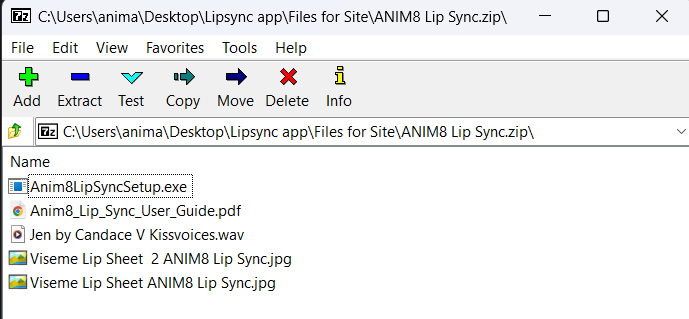
You get a ZIP file which includes:
- ANIM8 Lip Sync Installer
- User Guide PDF file
- A Sample .MP3 audio file
- 2X Viseme Lip Printouts
Requirements:
- Any modern PC
- Microphone (if you want to record your voice)
- A free app such as Audacity to record and edit your voice with the microphone.